On a Minecraft UI Toolkit
This is a Garden Post. It may be unfinished or changing over time.The issue #
Minecraft UI is not very composable at all.
It's designed for, essentially, a series of screens with grid layouts of buttons. Sometimes you might put that grid into a HeaderAndFooterLayout.
Sometimes you might have a scrolling thing. These are all handmade, unless its using an AbstractSelectionList. If it's using an AbstractSelectionList, all your entries have to be the same height. That's not useful. (Note: AbstractScrollArea is now a thing but it doesn't handle the mouse stuff so you still have to roll a load of your own stuff. Cool.)
And have you tried making things change size depending on their container size??? Awful.
And once you're nesting all these layouts and stuff to make stuff work, the code gets really unreadable.
I just want to be able to have a box, and put a stack of things into the box, and have it scroll on overflow. And also have the things inside the box be configurable to stretch or shrink.
ALSO there's another issue I have, but it's not really to do with much of this (although ig it is about composability) - widgets think they're 'hovered' if the mouse is over them, even if there's another widget on top of them which would steal the mouse interaction if the user actually clicked. This is a consequence of 'isHovered' being entirely local to the widget.
The exact requirements #
I want to be able to create this UI:

(All divs here are bordered for clarity)
So that is:
- Nested containers
- Which distribute their content along their main chosen axis (purple box is horizontal, orange/lightgreen are vertical)
- Which can justify/align their content on their cross axis (purple box justifies content to center)
- Which can, if they wish, grow or shrink (RGBY boxes are shrinking to fit their container, YOUR LONG is growing to fill its container)
- Which can, if they wish, fix their size and scroll if their content overflows (orange box)
- Which can, if they wish, take extra space than they may by default within their parent containers
- I worded this badly. But basically in Thing 3 and Thing 4, the buttons have
margin-top: auto;and so sink to the bottom.
- I worded this badly. But basically in Thing 3 and Thing 4, the buttons have
Okay how do we do that #
Inspect element the thing above. You will see I used flexbox.
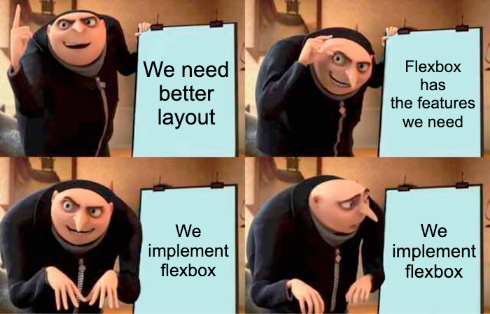
Yeah I'm gonna implement flex layout. A limited version anyway.
But how does this solve the fact that nesting layouts makes for super long and unreadable code?
You will note that the thing above was written in HTML.

Okay so HTML isn't XML but XML is a better fit here (and XHTML should've won anyway). JSON is awful for this don't even think about it. Can you imagine using JSON as a document format. All the quotation marks everywhere. Death.
I'm thinking something like this:
var myCompositeWidget = makeCompositeWidget(
"""
<div id="composite">
  <grid spacing=4 columns=2 >
  <widget id="skins" /> <widget id="sound" />
  <widget id="video" /> <widget id="controls" />
  </grid>
</div>
"""
)
.bind("skins", () -> Button.builder().build())
.bind("sound", () -> Button.builder().build())
.bind("video", () -> Button.builder().build())
.bind("controls", () -> Button.builder().build());
Widgets have their position defined in the hierarchy in the XML, and are then bound to their actual values.
To create the example thingy above you could do something like
var myCompositeWidget = makeCompositeWidget(
"""
<div flex-direction="row" justify-content="center" width="640px" height="480px">
<div flex-direction="column" width="fit-content" height="100%" scroll-on-overflow>
<div flex-direction="row" flex-shrink=0 width="200px" height="100px">
<widget id="red" width="200px" height="100px" shrink" />
<widget id="green" width="200px" height="100px" shrink" />
<widget id="blue" width="200px" height="100px" shrink" />
<widget id="yellow" width="200px" height="100px" shrink" />
</div>
<div flex-direction="row" width="100%" height="100px">
<widget id="yourlong" width="10px" height="100%" grow />
</div>
<div flex-direction="column" width="200px" height="200px">
<text>Thing 1</text>
<divider />
<widget id="button1" />
</div>
<div flex-direction="column" width="200px" height="200px">
<text>Thing 2</text>
<divider />
<widget id="button1" />
</div>
<div flex-direction="column" width="200px" height="200px">
<text>Thing 3</text>
<divider />
<widget id="button1" margin-top="auto" />
</div>
<div flex-direction="column" width="200px" height="200px">
<text>Thing 4</text>
<divider />
<widget id="button1" margin-top="auto" />
</div>
</div>
<div flex-direction="column" width="fit-content">
<text>hi</text>
<img src="mymod:textures/whatever.png" width="120px" height="120px" />
</div>
</div>
""");
with binds for the button widgets.
Uhhhhhhhhhhhh one issue: responsive design.
I want things to move to a new position if there isn't space for them to be in their current position.
Media query type stuff maybe?? But that would involve writing a separate stylesheet, then do we move all our formatting stuff out into the stylesheet?
Wait. tim berners lee i get it now. separating content and style. cool. but I don't wanna. What alternatives are there?
XSLT rules to modify the attributes on a widget in certain situations??? That seems even more insane.
BTW flex-wrap is probably a good thing to implement too.
ALSO it should be possible to make divs with custom Layout implementations. Probably just use the same bind thing? bindLayout or smth
Refs #
'Let's build a browser engine! Part 6: Block Layout' - Could be useful.